Free Damaged SD Card Files Recovery Software

Summary:

Have you ever lost files due to Damaged SD Card? Thousands of videos, pictures on it disappeared and waited for recovery? This article will show you how to perform damaged SD card recovery in 3 steps.

https://www.bitwar.net/data-recovery-software/

Nowadays, most of the electronic devices are using SD card or Micro SD card, Such as Android smartphone, digital camera/camcorder, music player, etc. Many people rely on the convenient and portable SD card to shoot photos, video, store files, music, etc.

However, there is one thing we have to tell that the SD card it’s easily prone to corruption, we’ve known that data after formatted or accidental deletion can be recovered with Memory card data recovery software, then how to restore data from damaged or corrupted SD card?

If you have a Windows or Mac computer, you can easily download Bitwar Data Recovery software, which is a powerful memory card recovery software that can be used to rescue data from the Corrupted SD card.

How to Recover Files and Photos from Corrupted SD Card?

Step 1. Download Bitwar Data Recovery Software and then install on your Windows computer or Mac, launch the software and find your SD card.

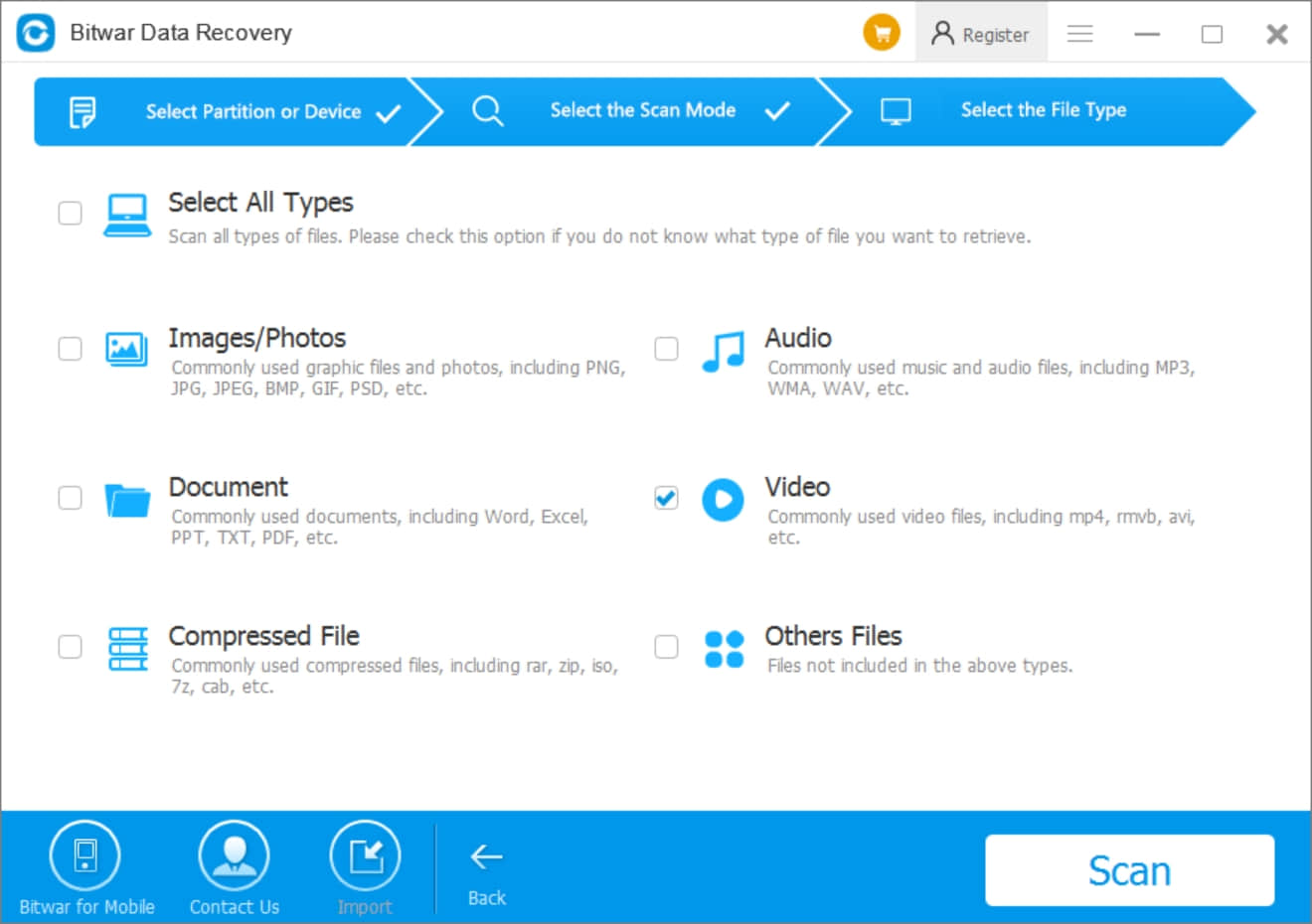
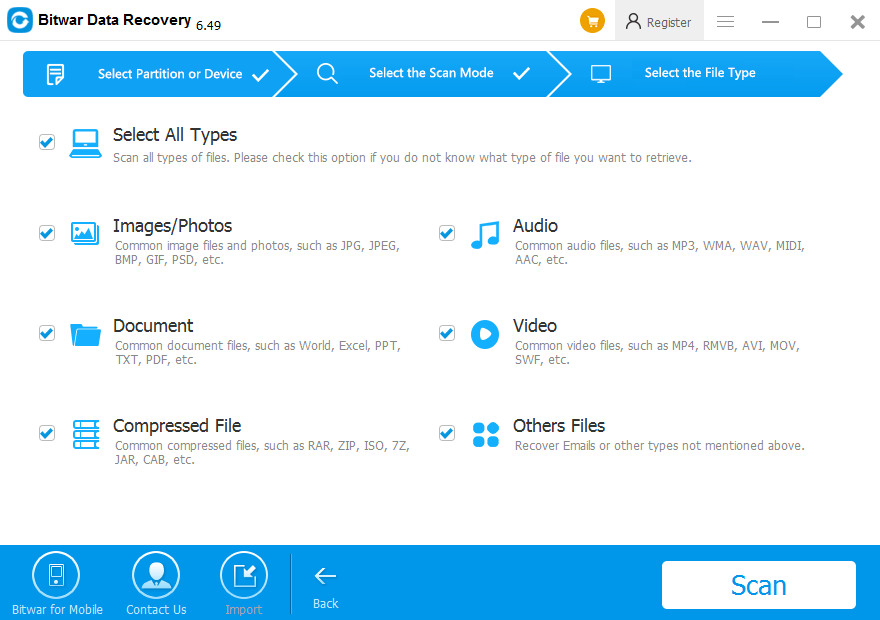
Step 2. Select the recovery mode and select the file types you have lost. You can choose a specific type, such as Photos, to shorten the scanning time. Or you can select all types. Then click the “Scan” button.
Free Damaged SD Card Files Recovery Software


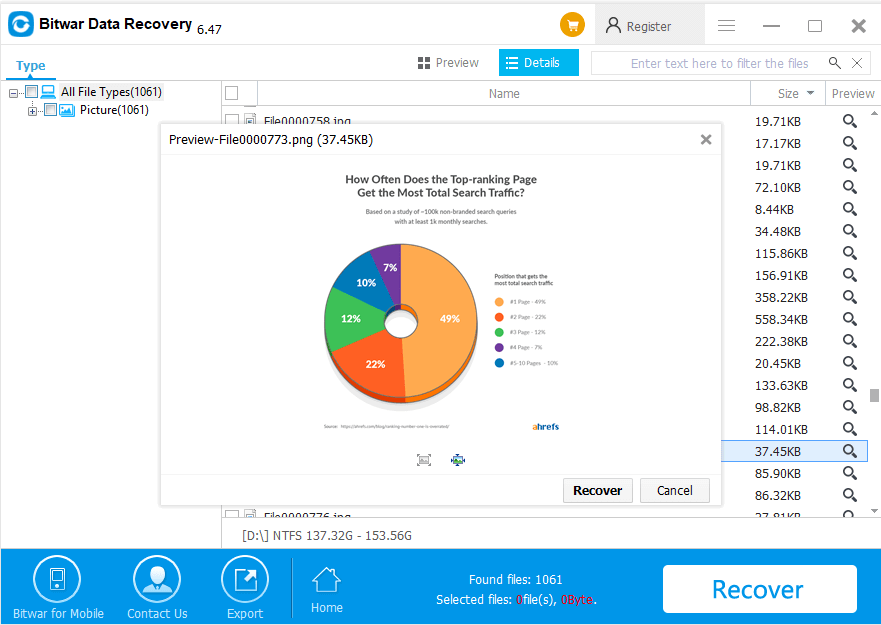
Step 3. After scanning, you can double-click the files to preview. Click Recover when you have determined what files you want to get back. 

TIPS: Save the files or photos to the computer, after fixing the SD card, then you can copy the files or photos back to the SD card.
Free Damaged SD Card Files Recovery Software

After performed the damaged SD card recovery, you can then perform format or run CHKDSK to fix SD card error.

How to Format the SD Card?

Click This PC >> Right Click the SD card and select Format >> Wait until finish
Read more

Free Damaged SD Card Files Recovery Software

Best Free Video Recovery Software

Summary:

Video recovery software helps to recover deleted HD videos from a hard disk, USB portable disk, memory card, SD card or other devices using Windows File system, such as NTFS, FAT32, FAT16, FAT, etc. or the Mac file system, such as NFS, NFS+, APFS. Today in this article, we will introduce the Best Free Video Recovery Software step by step to guide you on how to restore deleted HD videos.

https://www.bitwar.net/data-recovery-software/

Why does everyone love HD videos?

Everybody loves HD Videos because of its High Definition Display Experience. HD is short for High Definition, normally HD vertical display resolution is over 720 lines, and the frame size is 1280X720 pixels and 1920X1080 pixels. Nowadays, many of the devices equipped with HD display, such as Digital cameras, laptops, tablets, mobile phones, because of its high definition display, everyone can have a wonderful experience while watching HD videos. 

What can we do after lost the HD videos files?

Sometimes we may delete our HD videos from a camera or computer, or perform an improper operation to format the SD Card, the partition that causes HD video loss. In addition, power failure is another killer to have our HD videos gone away.

Here we suggest Bitwar Data Recovery, which is really thebest free video recovery softwarethat helps us to restore HD videos. 

Why is Bitwar Data Recovery the Best free video recovery software

Bitwar Data Recovery is a free trial video recovery software that can help you to recover deleted or formatted HD videos easily and safely on a computer, no matter Windows or Mac system, USB portable disk, memory card, SD card or other devices. Bitwar Data Recovery is with the capacity to help you get back these HD videos without frustration. 

The Advantages of Using Bitwar Data Recovery

1. Powerful media preview function: Which means once we found the deleted HD videos, we can play the videos directly in the software to preview the videos are exactly we need or not.
2. Sector level scanning technology: Deep scan mode supports to search every single sector of the hard disk to find the videos. Especially sometimes the partition has been lost or memory card corrupted or damaged.
3. Friendly user experience: The software supports Balloon tooltips to guide you on how to operate the software step by step. That means you won’t waste time to read the user guide to learn how to use the software anymore. 

How to Recover Deleted HD Videos by Bitwar Data Recovery?

Step One, select the partition or device.

Before performing video recovery, you can free download video recovery software full version on its official website: https://www.bitwar.net/.

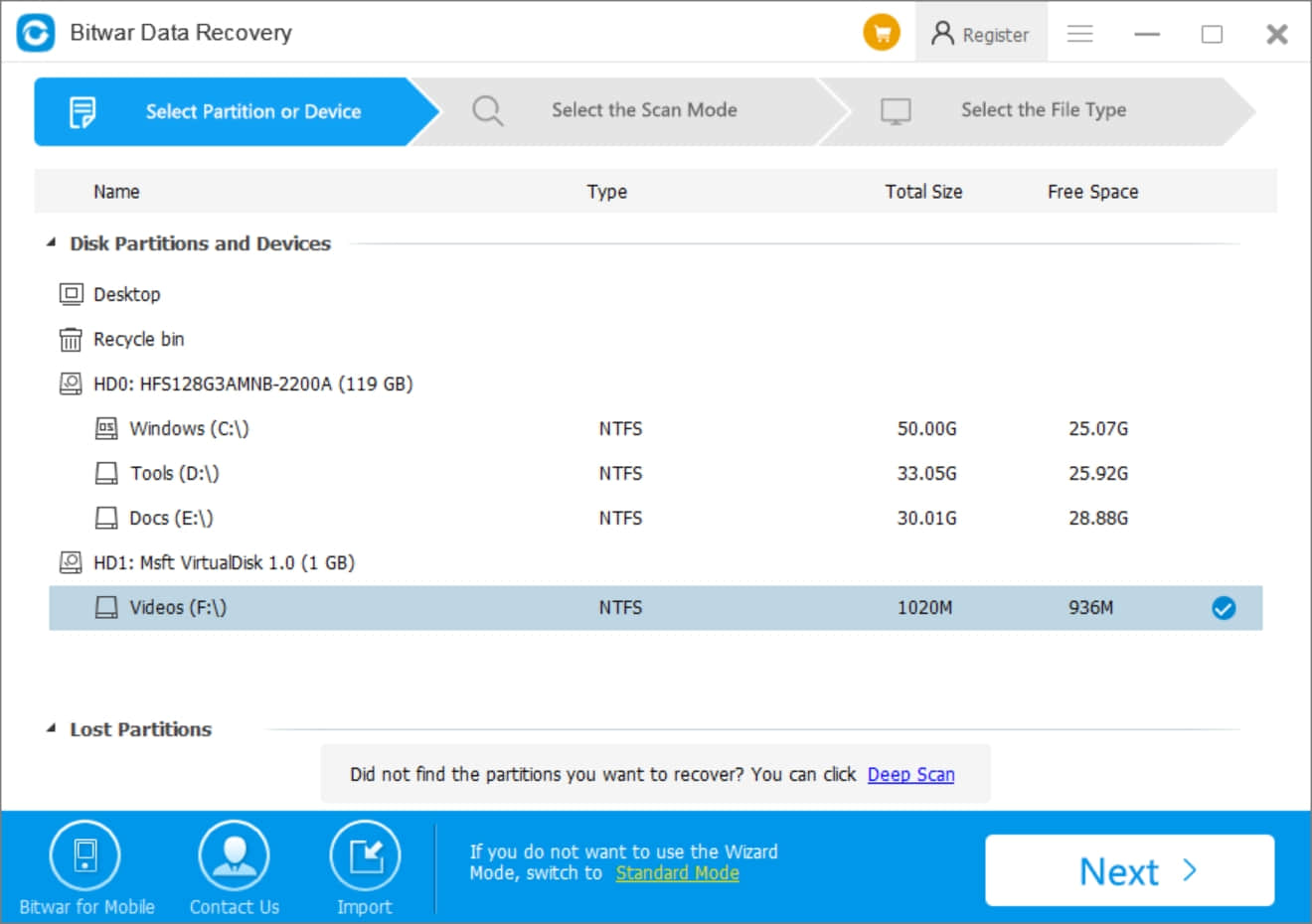
After Downloaded Bitwar Data Recovery, Launch it and select the partition or drive which contains your deleted HD videos.

Select Device

Step Two, select scan mode and file types. 

Select Quick Scan and hit Video in the next. After that, hit “Scan.”

Select File Type

Step Three, preview and recover the HD video.

During the scanning process, you can see the deleted HD videos files are appearing in the DetailsWindows, double-click the video file to play directly and preview. 

Note: If the video can be previewed, that means the video can be recovered.

Read more

Best Free Video Recovery Software Restores Deleted HD Videos

Introduce Yourself (Example Post)

This is an example post, originally published as part of Blogging University. Enroll in one of our ten programs, and start your blog right.

You’re going to publish a post today. Don’t worry about how your blog looks. Don’t worry if you haven’t given it a name yet, or you’re feeling overwhelmed. Just click the “New Post” button, and tell us why you’re here.

Why do this?

  • Because it gives new readers context. What are you about? Why should they read your blog?
  • Because it will help you focus you own ideas about your blog and what you’d like to do with it.

The post can be short or long, a personal intro to your life or a bloggy mission statement, a manifesto for the future or a simple outline of your the types of things you hope to publish.

To help you get started, here are a few questions:

  • Why are you blogging publicly, rather than keeping a personal journal?
  • What topics do you think you’ll write about?
  • Who would you love to connect with via your blog?
  • If you blog successfully throughout the next year, what would you hope to have accomplished?

You’re not locked into any of this; one of the wonderful things about blogs is how they constantly evolve as we learn, grow, and interact with one another — but it’s good to know where and why you started, and articulating your goals may just give you a few other post ideas.

Can’t think how to get started? Just write the first thing that pops into your head. Anne Lamott, author of a book on writing we love, says that you need to give yourself permission to write a “crappy first draft”. Anne makes a great point — just start writing, and worry about editing it later.

When you’re ready to publish, give your post three to five tags that describe your blog’s focus — writing, photography, fiction, parenting, food, cars, movies, sports, whatever. These tags will help others who care about your topics find you in the Reader. Make sure one of the tags is “zerotohero,” so other new bloggers can find you, too.

Design a site like this with WordPress.com
Get started