Summary: This article will explain in details that what causes Xbox one stuck on green screen of death and how to fix the problem. Or if you want to recover lost games from Xbox, try with Bitwar Free Data Recovery Software now.
There is altogether a different sort of excitement when you get to play your favorite video games with high definition graphics and real-time experience from the comfort of your home. Xbox One is one such video gaming console that gives you an enthralling experience in the world of online gaming.

But, what if the Xbox gets stuck while loading and displays a green screen of death error?
Obviously, at first it will ruin all that excitement and secondly, you may end up losing many games.
If this has ever happened to you, and you were unable to fix the issue then, do not worry! There are a couple of steps which could be of great help during such times. All you need to do is to follow the article in order to fix the issue of Xbox one stuck on green screen.
What causes Xbox one Green Screen of Death
Although there is no confirmed reason for Xbox to get stuck on green screen, we have listed below some of the issues that may cause green screen of death to occur.
- Xbox communicates with the Microsoft’s server each time it starts to check for any updates, and this may cause Xbox one stuck on green screen.
- Sometimes Xbox does a security check to see if there are any suspicious files.
- Sometimes there can be HDD read-write error that corrupts the HDD.
- Communication errors between the servers which causes the software to get corrupt.
How to Fix Xbox One Stuck on Green Screen of Death
Before you decide to send your Xbox for repair when it gets stuck to the green screen of death, you may want to try any one or all of the below-mentioned solutions to overcome the concern.
Fix Xbox One stuck on green screen by Updating the System
- At the onset, go to support.xbox.com and click on the game you wish to play.
- Now, click on “System” and select “System Update” tab.
- After this, go to “How to use the Offline System Update Diagnostic Tool” and scroll down to download “OSUDT2” in the USB drive, this will let you install the update on Xbox One.
If in case, you failed to install the “OSUDT2”, then select “Restore Factory Defaults” file.
- Now, press the Eject + Accessory pairing together, and press the Power key by pressing and hold first two buttons on your Xbox One and wait for repair.
- When you see “Applying Update” message on a screen, insert a USB drive containing the OSUDT2 update and apply to install.
- If failed to install, download “Restore Factory Default” file in the USB and connected it to the Xbox console to reset the factory settings.
- After this, it will ask you, “if you wish to keep the installed games or not”, click on yes.
Following the process, you will get over the Xbox one stuck on green screen error. Now you can continue playing your favorite games. If this doesn’t solve the error then follow the next solution.
Use Bitwar Recovery Software to Recover Lost Games from Xbox One (Best Method)
So, as stated above, after you have fixed the Xbox One stuck on green screen error, you will definitely need a recovery tool with the help of which you can unformat your favorite games on Xbox One. The best program that you can go for is Bitwar Data Recovery Software.
It is free data recovery software that can retrieve any type of data from hard disks, lost partitions, SD cards and much more for Windows or Mac. It is extremely reliable and boasts the highest recovery rate.
Here are the steps to use it:
- Download and install Bitwar Data Recovery tool on your PC and launch it.
- Simply, connect the Xbox One hard disk with the PC.
- Now, choose the above drive on the Bitwar Data Recovery program.
- The software will now scan all the deleted games.
- After the scanning ends, select the games and hit Recover.
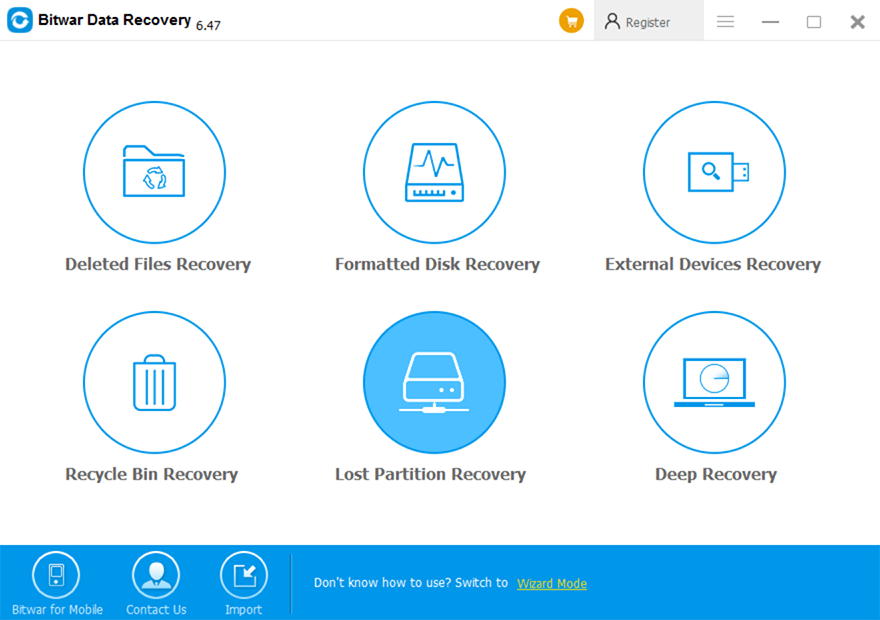
 Bitwar Data Recovery