Summary
Bitwar Data Recovery software offers an easy USB Flash Drive recovery solution. You can use it to retrieve deleted files quickly from removable media devices of popular brands like Kingston, Sandisk, PNY, Sony, and other brands.
Reasons for data loss from USB Flash Drive
- A power surge or electrostatic discharge
- Improperly removing the mass storage device
- Virus attack
- Deleting files from the device accidentally
- The file system converts to RAW
How to restore data from Flash Drive
Fix 1: Using CMD to undelete files
- Step 1: Make sure your Flash Drive connected to the PC and then click “Win + R.”
- Step 2: Type “cmd” and click “OK.”
- Step 3: Then type “ATTRIB -H -R -S /S /D H:*.*, click “Enter.”
With CMD Command, the Windows will try to recover your files, but it does not always work. Besides, if you have a backup in windows, you can right-click the flash drive icon and recover the file directly.
Fix 2: Using data recovery software to recover lost data
Most users are likely to encounter data loss at some point, and they are tired of cmd command. So what is the best solution for them to rescue the precious data from the USB Flash Drive? We recommend you the Bitwar Data Recovery which is powerful and intuitive can help you to solve all flash drives’ data loss situations.
Advanced USB Recovery Tool – Bitwar Data Recovery
Using the Bitwar Data Recovery software, you can retrieve deleted files caused by accident formatting, sector damage, virus attack, and other possible reasons.
Step 1: Download the freeware
Click the download button below to launch the Bitwar data recovery software, or you can go to the official website: https://www.bitwar.net. And then connect your external hard drive to your computer or laptop.
Tip: You’d better install the program on a different drive to prevent data overwriting.
Step 2: Select the recovery mode
After launching the program, select the “Standard Mode.” In this page, you can select “External Devices Recovery” and click on “Next” button to start scanning the USB flash drive to get the losing data back.
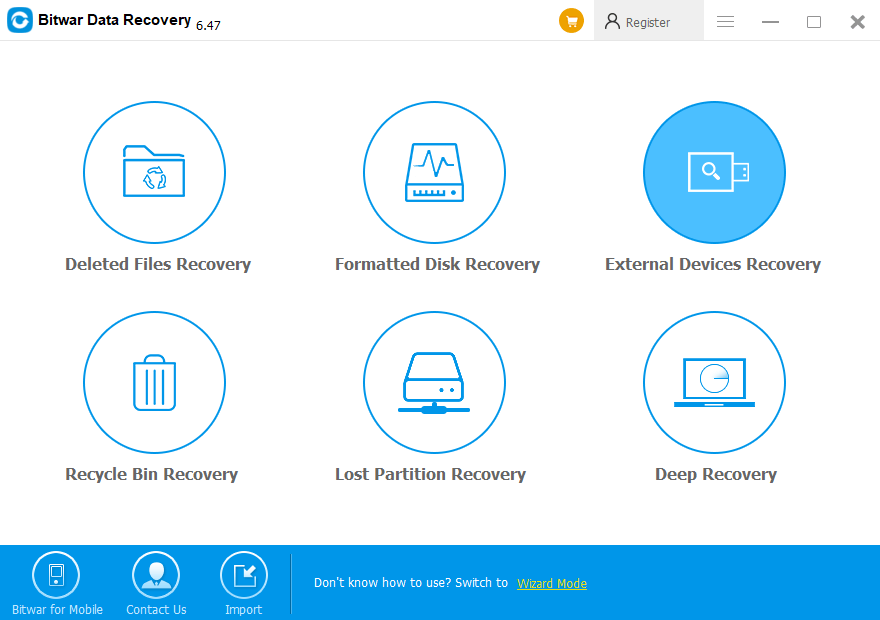
 Bitwar Data Recovery