Summary:
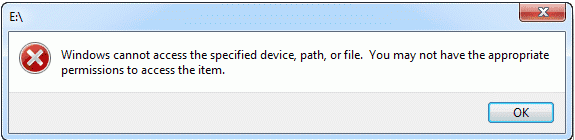
If files are inaccessible on your PC with the demand “Windows cannot access the specified device, path or file.” Don’t worry, this article introduces the solutions to solve this issue and provides the best data recovery software to help you recover data.
https://www.bitwar.net/data-recovery-software/
You may see the image below when you are trying to start a program or open a file on your Windows computer. But do you know the possible reasons that make Windows fail to access the specified device, path, or file as normal? And do you want to restore the lost data?
Causes of the error:
You may not have the appropriate permissions to access the item because of the following reasons.
1. You don’t have permissions to the file, the folder or the drive.
2. You are clicking a shortcut to access a file on an external drive or a network location that is now not correctly connected to the PC or is not available.
3. The data has been deleted or moved to another location. Or the file or its shortcut is corrupt.
4. Windows may block the file.
5. The anti-virus software of your computer blocks the file.
Recover the deleted or corrupted files
If the file is corrupted or deleted, you can recover them with Bitwar Data Recovery.
Bitwar Data Recovery is a professional data recovery software compatible with various devices, including digital cameras, hard drives, SD cards, Memory cards, media players, and portable drives. Whenever you deleted these files or lost them due to virus attack, accidental formatting, or partition losing, you can get them back by using this software.
Bitwar Data Recovery is clean and user-friendly software. More importantly, it allows you to perform quick recovery but also supports deep scan, which can find out more lost files with a detailed scanning algorithm. What’s more, and it also supports raw recovery.)
Supported OS: Windows 10/8/7/XP/Vista, Mac OS X (10.11 El Capitan, 10.12 Sierra, 10.13 high Sierra) on iMac, MacBook, Mac Pro, etc.
Read more
[Solved] Windows Cannot Access the Specified Device Path or File
 Bitwar Data Recovery